Latest News
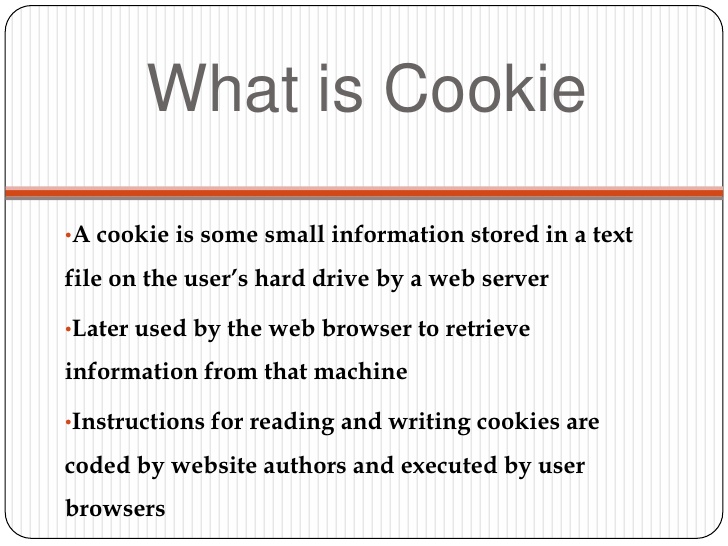
Cookies are small files which are stored on a user's computer. They are designed to hold a modest amount of data specific to a particular client and website, and can be accessed either by the web server or the client computer. This allows the server to deliver a page tailored to a particular user, or the page itself can contain some script which is aware of the data in the cookie and so is able to carry information from one visit to the website (or related site) to the next.
Are Cookies Enabled in my Browser⁉️
To check whether your browser is configured to allow cookies, visit the Cookie checker. This page will attempt to create a cookie and report on whether or not it succeeded.
For information on how to enable or disable cookies, see 'Enabling cookies'.
For information on how to delete and clear cookies, see 'Deleting cookies'.
What's in a Cookie⁉️
Each cookie is effectively a small lookup table containing pairs of (key, data) values - for example (firstname, John) (lastname, Smith). Once the cookie has been read by the code on the server or client computer, the data can be retrieved and used to customise the web page appropriately.
STEP-1
♻️Go to K7.net Sign up there.
STEP-2
♻️Create an account on gmail, but in location fill United States.
STEP-3
♻️After Creating your e-mail account,Now it will take you to mobile verification page.
STEP-4
♻️Here select the option of Voice call and fill the no: that you got from the website (k7.net)
STEP-5
♻️Now you will get a mail having verification code as voice mail on that account from which you have registered on.
STEP-6
♻️Go open it,
download
the attachment file and listen the code after that type the code of your voice mail in verification code and click
OK
✅Done. Your account is ready now.
Hello haxchip Members! In this thread i will be talking about ways to be anonymous from my knowledge!
This thread will help a lot of you noobs!
You can put all these ways together at once and you will be like 98% anonymous while hacking and doing blackhat activity...
This whole guide is written by me. every piece of it is from my knowledge. i can guarentee i'm 100% right Yeye
1. VPN that DOES NOT keep any logs!
I think MullVad VPN is best as it doesn't keep logs and its very cheap and fast!
Can't beat that...
A VPN will make sure your secure while hacking online.
It hides your IP address and makes sure you can't be tracked.
But a VPN isn't the ONLY thing you should use while blackhat hacking or trying to protect yourself.
You should use other tools too to remain 99.9%!
I recommend only buying a VPN with Bitcoin so the payment cant be traced.
2. Proxychains on a linux system like kali linux or Tails
You should use proxychains to stay anonymous with everything else added too.
you can get proxys by scraping or grabbing them.
I highly recommend buying like a list of 25 "PRIVATE" socks5 proxy servers.
Private ones don't keep logs but if you get free ones that do keep logs then only connect to the proxy if you have your VPN on that doesn't have logs.
I recommend making your own proxy grabber that will only grab elite proxies that are mostly all alive.
If you can't code your own then you should use netghost to get proxies. It runs on windows but you can always upload it to a file sharing site and get it on your own linux system. The proxy chains location on kali linux is /etc/proxychains.conf [Command is "leafpad /etc/proxychains.conf". Add proxies there :).
3. Tails to keep anonymous
You can use all the anonymous tips above on a Tails system also.
Make sure to run tails off a live USB or DVD. It will ensure more anonimitity.
You can use tor with tails too so it will make you more hidden.
Not much to say with tails.
4. Virtual Machines
You can stack virtual machines on top each other with tails. Then use everything else to hide.
Once you do something really illegal then delete all data and be gone.
You can also use CCleaner to clean all logs on system.
Even delete VM iso file and re download on a different IP.
5. Coffee Shops And Such
You can use a raspberry PI connected to a Public wifi.
Make sure to stay off property and go like across the street while connected.
Use all the stuff above while at the open wifi.
You will remain anonymous!
6. CCleaner
You can use CCleaner too delete all system logs and just all types of data
It will clean everything out your PC then after you use CCleaner make sure to reinstall it again (Not really needed just an extra layer).
7. Browser Windows
If your using chrome or any other browser in the earth then make sure not to maximize your browser window!
While using any browser like Tor, Firefox, Chrome or others make sure to keep it small....
People can track you by your browser window!
Keep safe!
8. MAC Address
Change your mac address so you can't be tracked using tools like macchanger on any linux op.
Your mac address can be used to get a location on your PC.
Make sure to do this too.
9. Webcam
Make sure to tape your webcam so none of our fellow Police man or any other person can see you can get pictures.
Short one XD
1.Download & Install Arcai’s NetCut Application from play store.
2. Open the App. Make sure your device is connected to the wifi network. Now you can see all the devices connected to your WiFi network.
3. All device Mac addresses & manufacturer names are also listed with IP address. If you want to kick out a specific device. Then simply tap on small wifi icon available on left side in list. Then move the slider to the left. Done, You kicked out a device from your network.
Adjust the slider according to your need if you want to set low speed for specific android device.
GOOGLE CHROME
1. Go to the settings inside this browser and under the preferences page check for the Show Advanced Settings option.
2. Click on this option and thereafter click on the Content Settings button placed under the Privacy section.
3. Come across the various options and look for the Location settings option or the section.
4. Simply select the “Do Not Allow Any Site to track your Physical Location” option.
That’s all!
MOZILLA FIREFOX
1. Type in the Address field of the Firefox this simple keyword: about: config and then hit enter.
2. This is the shortcut to the about screen of the Mozilla Firefox and from the page, it links you can be able to set the preferences for the location tracking.
3. Accept the prompt that would appear on your screen after you reach the link page.
4. Double click on the “Geo-enabled” option on the page and the Firefox will stop every site to track the location or ask for it!
APPLE SAFARI
Go to the Privacy settings and then set the Websites Use of Location Services to Deny without prompting. That’s all!
1⃣ Connect your android phone to you computer.
2⃣ Open Commande prompt administrator.
3⃣ Now in command prompt window type following code carefully [ adb shell cd/data/data/com.android.providers.settings/databases sqlites settings.db ] update system set value=0 where name=’lock_pattern_autolock’; update system set value=0 where name=’lockscreen.lockedoutpermanently’; .quit
4⃣ Now you will see some screen as shown below and then you can reboot your phone and now when your android starts again, then try unlocking it using any random pattern and it will unlock and work pretty fine.
5⃣ If you face any problem repeat same steps but instead of the above code tru using [ adb shell rm/data/system/gesture.key] and the press enter and now reboot your device to see if it works.
While the security behind WEP networks was broken in 2005, modern tools have made cracking them incredibly simple. In densely populated areas, WEP networks can be found in surprising and important places to this day, and they can be cracked in a matter of minutes. We'll show you how a hacker would do so and explain why they should be careful to avoid hacking into a honeypot.
Often one of the first wireless attacks a hacker will learn, WEP networks in your area can be tracked down with only a few software tools and cracked with a network adapter supporting packet injection. While WEP cracking has always been relatively straightforward, the simplicity with which it can be found and broken in 2018 brings it firmly into the abilities of even the most novice of hackers.
While still much more rare to see than open or WPA-encrypted networks, the evolution of tools like Wigle Wifi allows anyone with an Android phone to identify WEP networks for themselves simply by walking or driving by one. Even easier than doing this in person is to simply look at online wardriving databases which clearly show the location of these networks.
Thanks to years of wardriving data, Wigle.net tracks statistics about the type of encryption used with any detected Wi-Fi networks uses. Over time, the percentage of Wi-Fi networks using WEP has dwindled from 45% to a stubborn 7.45 percen
Why WEP Networks Are So Vulnerable
WEP, or Wired Equivalent Privacy, was implemented in 1995 to provide the same expectation of privacy as on wired networks for users of Wi-Fi but had security problems that came to light shortly after. It was deprecated in 2004, superseded by the WPA and WPA2 encryption that you see today. The reason for this was a series of increasingly devastating attacks against the encryption used in WEP, resulting in the ability to recover the password in a matter of minutes.
WEP is a stream cipher which relies on never using the same key twice to provide security. Unfortunately, as demonstrated in several published attacks, an attacker is easily able to force the same key to be used twice by replaying network traffic in a way that forces a tremendous amount of packets to be generated. This allows an attacker to collect the data needed to determine the encryption key and crack the network password outright. With good range and a powerful network adapter, anyone can expect to crack WEP networks in only a few minutes.
The power behind WEP hacking comes from two different parts of the attack: the ability to stimulate traffic even from a busy network and the ability to crack the network password when collecting a certain amount of that traffic. Remember that with WPA, hackers can't even capture a handshake from an empty network, but even an empty WEP network can be attacked with packet
Where WEP Networks Can Be Found
In an incident in May of 2006, WEP networks left connected to the credit card processing terminals in TJ Maxx stores allowed a hacker to access the credit card data of millions of customers in one of the biggest ever data breachs. This dramatic example underscored the fact that WEP networks are a critical security risk anywhere they are used.
Today, WEP serves two major functions in the hacking world: being an easy target and being a trap for script kiddies. Because WEP hacking is often the first criminal hackers learn too, it's often entertaining to set up a honeypot to catch local script kiddies trying to break in. In spite of the popularity of WEP honeypots, you'll find plenty of legitimate vulnerable networks nearby. In general, everyone should treat these as highly suspicious, since it's unlikely that only one person has tried to break into the network.
To find nearby WEP networks, one can simply go to Wigle.net and sign up for a free account. Next, they would click "Advanced Search" and run a search for networks with WEP security near their location. In my example below, I chose to limit my search to only networks I'd seen with my phone personally.
In a dense area, one could simply drive around with the Wigle Wifi Android app, upload the files to Wigle, then run this search. This will reveal the location on a map of every WEP network that was passed. The results can be surprising!
Caution for Cracking WEP
As I previously stated, WEP is extremely simple to crack. Just because it's easy doesn't mean it's legal, so make sure that you have permission to do this to any network you're practicing on before launching this kind of attack. While it's very likely the attack will succeed, and it's good to know this skill, the risk that the network you are attacking is a honeypot is much higher than the average encrypted network. WEP is fundamentally broken, so very few people will choose to use it.
Another thing you should consider is that you will very likely not be the first person to crack that WEP network. Depending on the intentions of the person who got there first, the network could be doing anything from stealing credentials to providing a VPN endpoint for very bad stuff. Because you don't know what could be going on, be very cautious about connecting to networks that could be used for nefarious purposes. If WEP is implemented in a business, cracking WEP is often the first line of attack for a pentester to quickly embarrass their client.
What You'll Need to Get Started
To crack a WEP network, you'll need to be able to stimulate enough network traffic to cryptographically attack the key. The best way to do this is to use a wireless network adapter that's capable of packet injection. This means our adapter will be able to send forged packets to our target network, allowing us to replay anything that would cause the router to provide the amount of traffic we need.
We've tested several Panda Wireless network adapters like the PAU06 and PAU09, and found them to work well for packet injection with Kali Linux. We have a list of the best compatible network adapters available for Kali in the article linked below if you need some help selecting one.
You'll also need a fully updated version of Kali Linux, which you can run as a virtual machine or directly on something like a Raspberry Pi.
Step 1
Locate Nearby WEP Networks
To start attacking a WEP network, you'll need to find one first. To do so, you'll run a series of filters with Airodump-ng to help you locate only vulnerable networks nearby. Airodump-ng is included in the Aircrack-ng package, so be sure to install it with apt-get install aircrack-ng if you don't already.
To get started, type ifconfig to find the name of your wireless network adapter, which you should have plugged in already. In Kali Linux, it should be something like wlan0.
Next, you'll need to put your attack card into monitor mode. In a terminal window, type sudo airmon-ng start wlan0. This will put your card into monitor mode, likely changing the name of the card as well. Take note of this new name by running ifconfig or ip a again, as you'll need it for the next step.
Next, run Airodump-ng with the filter --encrypt WEP to see only WEP networks nearby. The complete command can be seen below.
sudo airodump-ng wlan0mon --encrypt WEP
This will scan the area for any packets using WEP encryption, returning the name and information of the network if one exists. Once you have the information, you'll need to use it as a filter to tailor your attack in the next step.
Step 2
Attack a Discovered WEP Wi-Fi Network
Once you have the information you need for targeting the WEP network from Airodump-ng, there are a few variables you'll need to remember. First, take note of the channel number, and second, copy the BSSID (or MAC address) of the network.
The next tool you're going to use is a little aggressive, to say the least. Besside-ng will attack all Wi-Fi networks nearby if you don't give it the proper attack parameters to prevent this behavior. The actual attack, however, is highly automated and should proceed until the attack is successful in recovering the WEP network key for as long as you are in the range of the network.
To launch the attack, type the following into a terminal window, swapping out the appropriate information.
besside-ng -c ChannelTargetIsOn -b BSSIDofTargetNetwork NameOfInterfaceCard
Step 3
Flood the Network & Extract the WEP Key
While the attack proceeds, Besside-ng will log all of the data it collects in a .cap file for later retrieval. If you experience any problems with Besside-ng or get disconnected, don't worry! You can run Aircrack-ng on the .cap file as you add more data generated by Besside-ng, and all of your collected IVs (initialization vectors) will be there. This means you can come back to the same place at different times and gather more IVs to your .cap file until you can crack them to derive the password by running Aircrack-ng.
To try to crack the WEP network for the information you've gathered, you'll need to call Aircrack-ng with the location of the .cap file as the argument. This is pretty easy since Besside-ng usually stores WEP.cap in the root folder. That means running the command to try cracking the network is usually as seen below.
aircrack-ng ./wep.cap
This will read the .cap file and allow you to select which network you want to crack from the ones Besside-ng has encountered. If you have saved up enough IVs, you can crack the password outright, or you can leave it running while Besside-ng runs, and the attack will be repeated automatically every 5,000 IVs until it
Protecting Yourself Against WEP Attacks
Unless you are trying to catch local script kiddies in the act, there is no reason to use WEP encryption for anything. Aside from being insecure, it also makes your system a very visible target. You should scan for WEP networks in your home and work using Kismet or the Wigle Wifi app, and replace or upgrade any devices that are still using this broken standard of encryption.
WEP Encryption Is the Easiest to Crack
There you have it, it only takes a few minutes to break into a WEP network using modern tools like Airodump-ng and Besside-ng in conjunction with an appropriate wireless network adapter. Since WEP cracking is a staple of Wi-Fi hacking, I wanted to be sure we covered it in our intro to Wi-Fi hacking series. Hopefully, you have an understanding of what WEP is, why it's vulnerable, and how to go about actually cracking it.